 Rasa Reka
Start 2027 knowing where every dollar goes.
Get a free 2027 Budget Starter: a calm 50/30/20 monthly budget that does the maths for you. Log your spending and see right away if you're on track.
Free. We send a confirm link first, then the download opens. We email rarely; unsubscribe in one click.
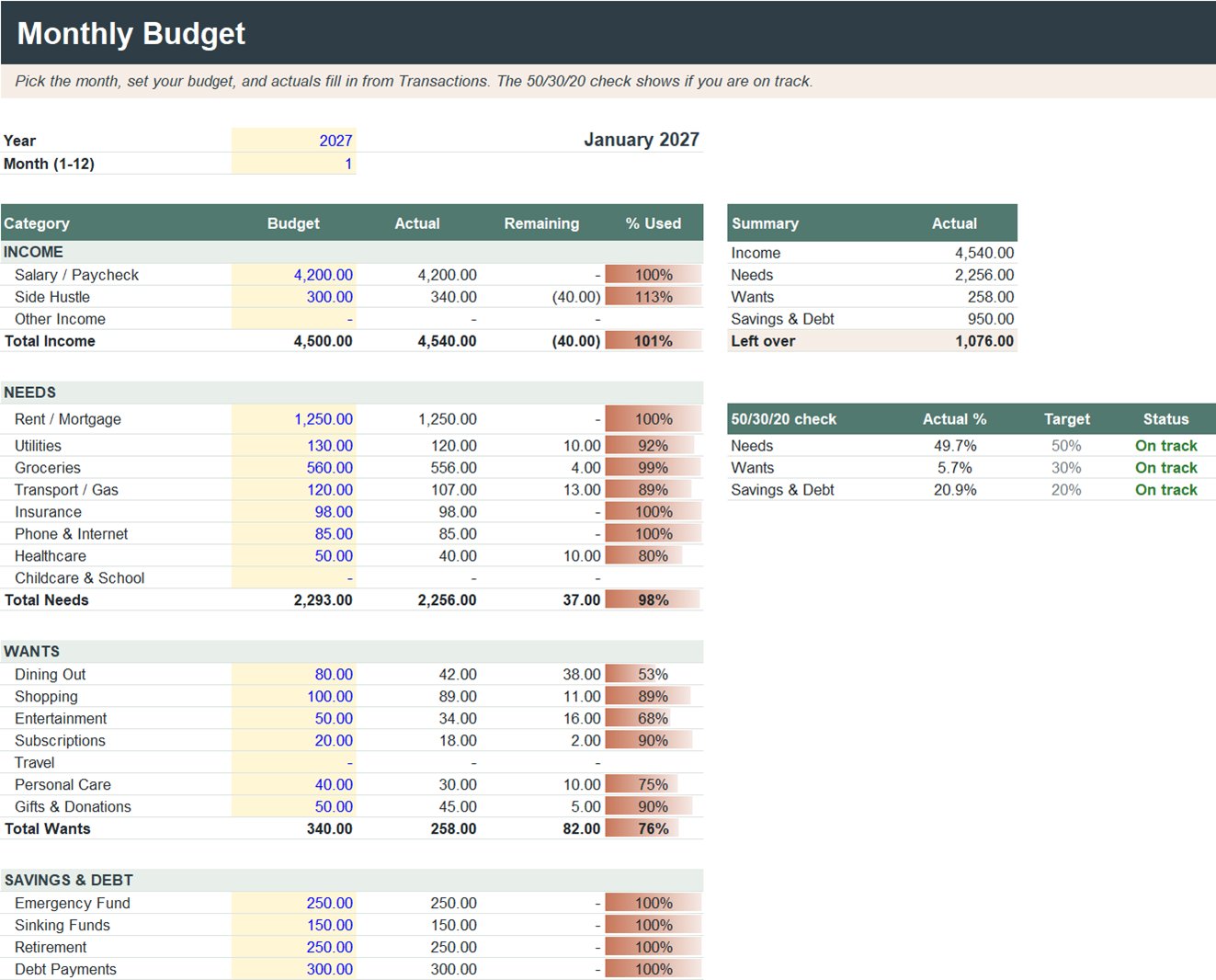
What's in the free starter
Four tabs, with sample numbers so you can see it working. Yellow cells are yours to type in; everything else calculates by itself. Works with any currency.
Monthly Budget
Budget against actual for every category. Overspending turns red.
50/30/20 check
Your real % for needs, wants and savings, with an "On track" or "Adjust" status.
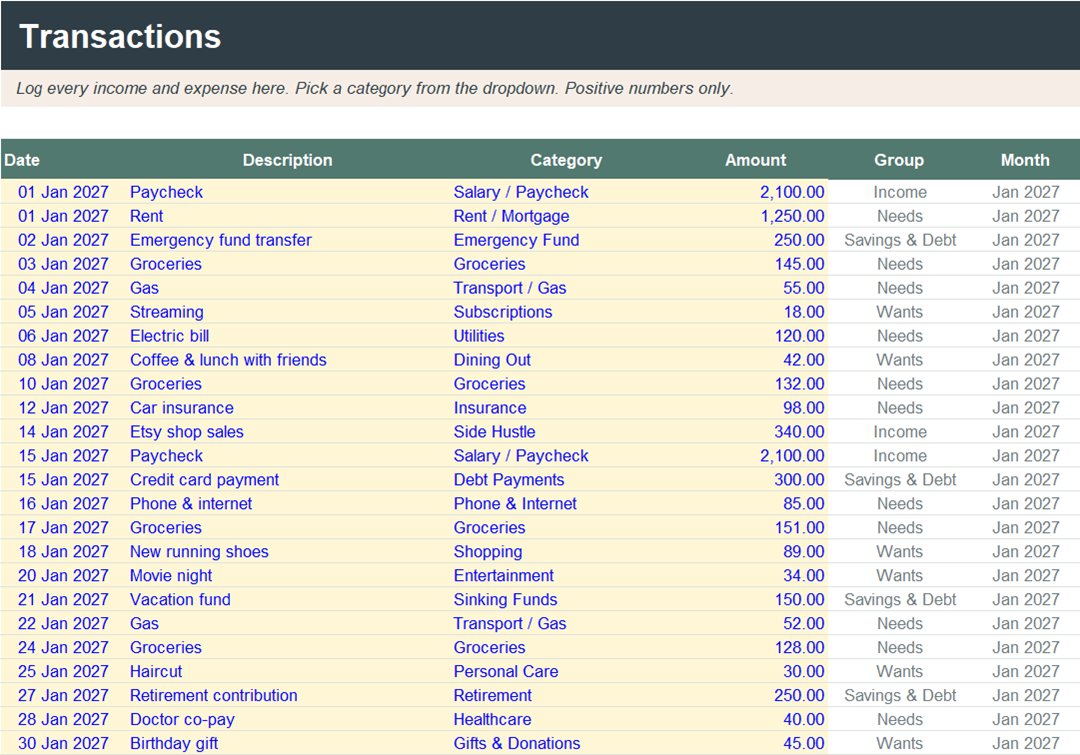
Transactions
Log income and spending with dropdown categories. 500 rows ready.
Set up in five minutes
- Open the file in Excel, or in Google Sheets with File → Import.
- Rename categories on the Settings tab if you like.
- Delete the sample transactions and log your own.
- Type your budget for the month. The rest fills in.
Get the free 2027 Budget Starter
Free. We never sell or share your email.
Want the whole year?
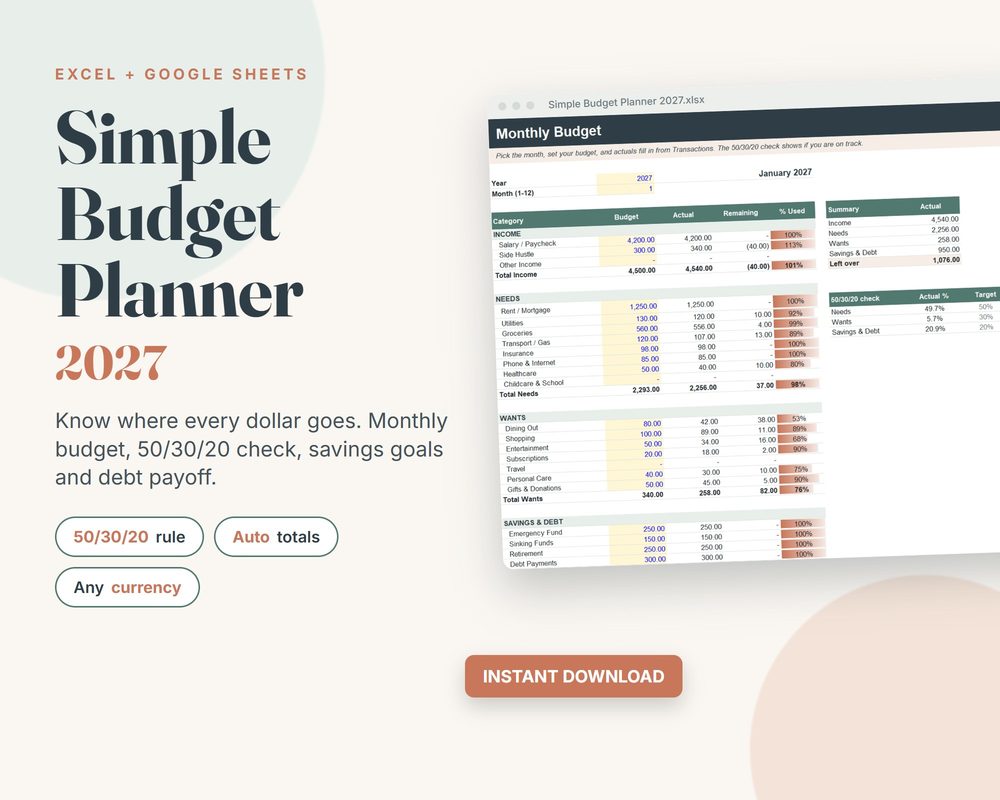
The full Simple Budget Planner 2027 adds three more tabs: an Annual Overview of all 12 months, Savings Goals that show what to save each month, and a Debt Payoff tracker. It's a one-time purchase on Etsy, and the starter is all you need to begin.
Prefer a budget built around zakat and sadaqah? See the Halal Budget Spreadsheet.
Prefer Notion? See the Money Planner 2027 template (2).
Questions
Is it really free?
Yes. The starter is free to keep and use. We may occasionally mention our paid planners, but you never have to buy anything.
Does it work in Google Sheets?
Yes. In Google Sheets, open File → Import and upload the file. It also works in Excel 2010 or newer and in Apple Numbers.
What is the 50/30/20 rule?
A simple guide: about 50% of income for needs, 30% for wants and 20% for savings and paying off debt. You can change the targets on the Settings tab.
How do I get the file?
Enter your email, then click the confirm link we send you. The download page opens right after you confirm.