 RankLens
See what sells on Amazon, right in the search results.
RankLens adds reviews, rating, Amazon's "bought last month" badge and Best Sellers Rank to every search result, plus a summary of the whole page. Free on Amazon US, UK and every EU store.
No account. Data stays in your browser. Not affiliated with Amazon.
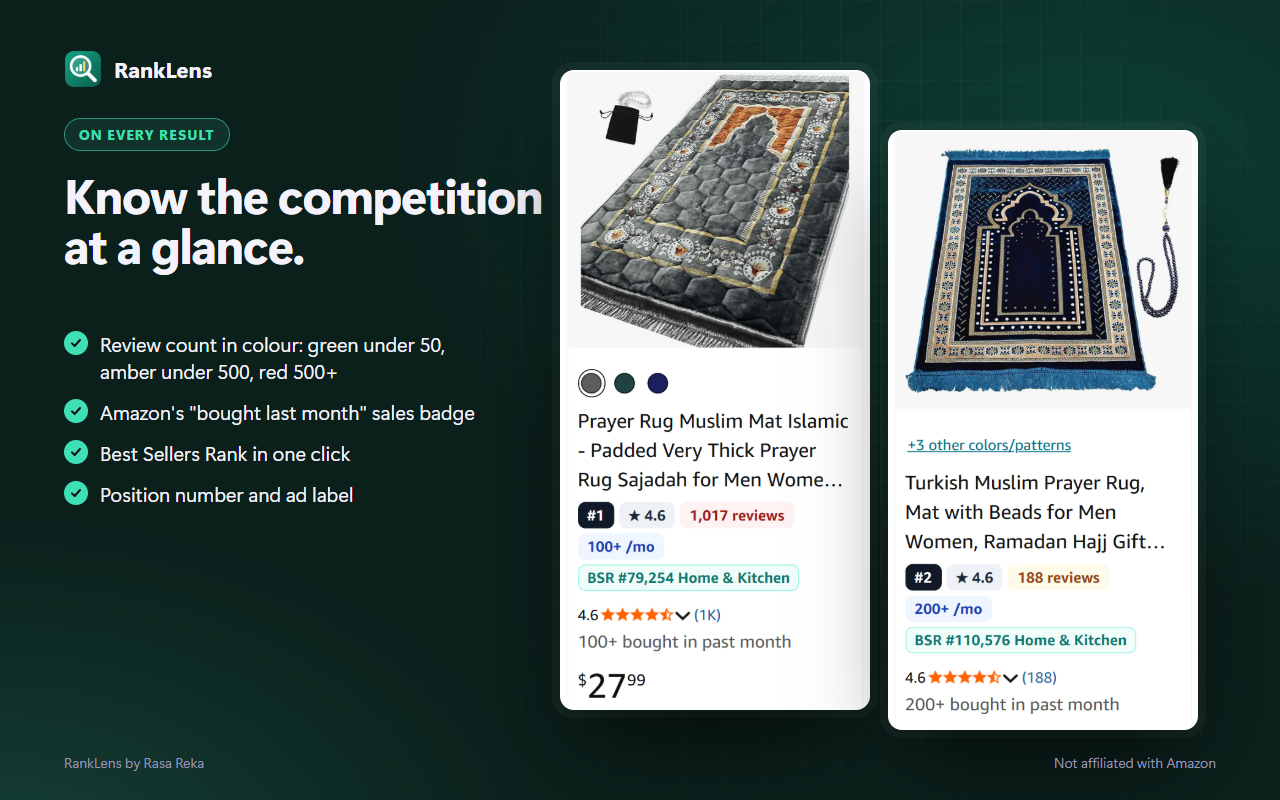
Know the competition at a glance
Every result gets a small badge, so you can judge a niche without opening 20 tabs.
- Review count in colour: green under 50, amber under 500, red 500+.
- "Bought last month": Amazon's own sales badge, pulled into one place.
- Best Sellers Rank: one click on any result shows its BSR and category.
- Position and ad label: see what's organic and what's paid.
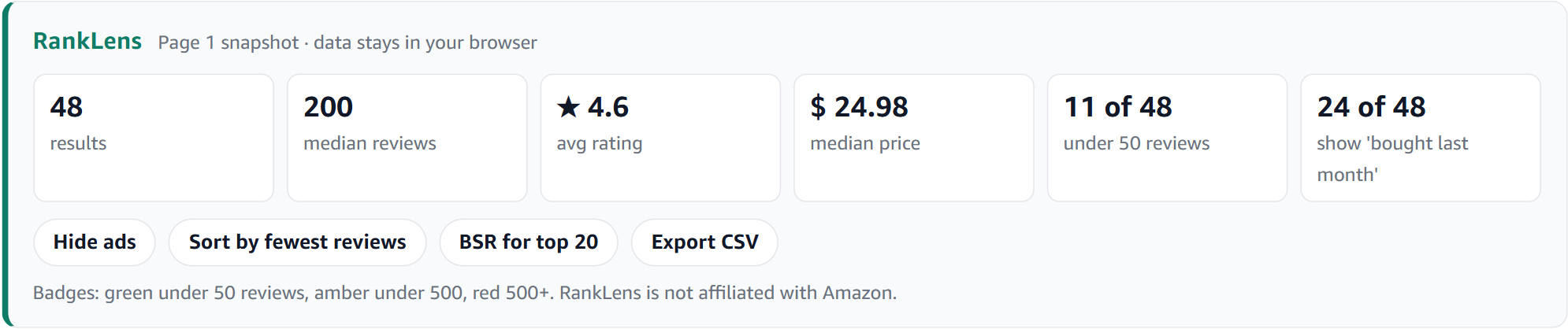
Is this niche worth it? Decide in 5 seconds
The summary bar answers the questions every seller asks before launching a product.
How many reviews to beat?
Median reviews across organic results, ads left out.
Is there room for new sellers?
How many results on page 1 still have under 50 reviews.
Does it actually sell?
How many results show Amazon's "bought last month" badge, and the median price.
Works on 12 Amazon stores
Most quick-view tools are free on amazon.com only. RankLens is free everywhere it works.
Pricing
Badges, the summary bar and one-click BSR are free, with no account.
Free
$0- Badges on every result
- Page summary bar
- BSR on any result, one click
- All 12 Amazon stores
Pro
$4.99/month or $29 once- Hide ads
- Sort by fewest reviews
- BSR for the top 20 in one click
- Export the page to CSV
Questions
Where does the data come from?
From the Amazon search page you have open. Ratings, review counts, prices and the "bought last month" badge are read from that page. BSR is read from a product's page only when you click "Show BSR" (or "BSR for top 20" in Pro, which opens them one at a time, spaced out).
Does RankLens send my searches anywhere?
No. Everything runs in your browser. There's no account and no analytics.
Are the numbers sales estimates?
No. RankLens shows only what Amazon itself shows: reviews, rating, BSR and the "bought in past month" badge. It doesn't invent sales numbers.
Which browsers does it work on?
Chrome and other Chromium browsers like Edge and Brave.
How do I cancel Pro?
Click the RankLens icon, open "Manage subscription" and cancel there. The one-time $29 plan never renews.
Check your next niche in seconds
Free, no account, nothing leaves your browser.